AVIF to PNG converter
Use this when a CMS, editor, or teammate's tool still rejects AVIF. PNG is the boring-but-compatible output: lossless, alpha-preserving, and accepted everywhere. The converter decodes the AVIF in your browser and writes a true-lossless PNG — no recompression artifacts, same pixel values. A common case: you drop an AVIF into a WordPress block editor that doesn't recognize it; swap for the PNG, keep the AVIF original for later if the platform catches up. The output will be larger than the source AVIF (PNG is lossless, AVIF is not), so consider this an interchange step rather than a storage format.
Upload a AVIF → get PNG.
Original
Converted
This tool processes on your device; your file is not uploaded for processing.
About
AVIF is now widespread on the open web, but the moment a file needs to leave the browser tab it lands in a long list of tools that still don't recognise the format. WordPress block editors, several enterprise design suites, certain photo viewers on older Macs and Windows machines, academic journal submission systems, vendor portals, and most desktop image plugins simply fail to open AVIF or quietly substitute a missing-image placeholder. PNG is the boring-but-universal answer: lossless, alpha-aware, and accepted by essentially every image-handling piece of software written since the late 1990s. This converter handles the handoff cleanly so the AVIF stays as your canonical file and the PNG only exists where compatibility actually demands it.
The most common reason people end up needing this conversion is downloading. Save off an image from a current marketplace, news outlet, or recipe blog and there's a good chance the file lands on disk as .avif because that's what the CDN sent your browser. That's invisible at the moment of saving — the file viewer renders it, the browser renders it — but the moment the file has to travel into a Word document, a PowerPoint slide, a Trello card, a vendor email, a school assignment portal, or a print shop's submission form, things fall apart. Converting to PNG once removes that friction completely instead of fighting each receiving system one at a time.
PNG is a true-lossless format, so the conversion preserves the AVIF's pixel values exactly, with one nuance about source quality. AVIF itself can be either lossless or lossy. If the AVIF was lossy (typical for photographs on the open web), the PNG output preserves the lossy result faithfully — it doesn't make the image look better than the AVIF, it just stops further degradation. If the AVIF was lossless (typical for icons, UI assets, screenshots), the PNG output is byte-for-byte identical in pixel values to whatever the original creator handed off. Either way, what comes out of this converter will not look worse than what went in.
Transparency carries through cleanly. AVIF supports a full alpha channel, PNG supports a full alpha channel, and the conversion preserves the alpha exactly regardless of whether the source was a transparent UI graphic with hard edges or a photograph with a soft drop shadow. That matters because many tools that reject AVIF also need transparency for the work being done — a logo placed over a coloured background, a sticker layered into a design comp, an icon dropped onto a slide with a themed colour. Going through PNG keeps the alpha intact instead of forcing a flatten-against-white fallback, which is what often happens when someone saves the file as JPEG out of frustration.
File size is the obvious cost. PNG's lossless compression has nothing in common with AVIF's modern algorithm and is genuinely poor at compressing photographic content, so a 200KB AVIF can come out as a 1MB or 2MB PNG without any visual change. That's not a defect in the converter; it's the structural reason the web moved to AVIF in the first place. Treat the PNG as a transit format rather than a storage format — keep the AVIF as the canonical file, do whatever editing or uploading you need with the PNG, and discard the intermediate copy when the immediate task is done. Storing PNGs at the scale of an asset library is rarely the right call.
Animated AVIF exists, similar to animated WEBP, and standard PNG cannot store animation frames. When an animated AVIF runs through this converter, only the first frame ends up in the PNG output. That's useful as a still preview but loses the loop entirely. For animation preservation, look at APNG converters or extract frames as a sequence; static PNG is structurally not the right destination for a moving image, and converting an animated AVIF to PNG to send to a system that needed the animation just means the recipient gets a still where they were expecting movement.
Two technical details. Colour profiles are preserved as sRGB across the conversion, which matches what nearly every viewer assumes, and AVIF's metadata — which can include EXIF chunks, ICC profiles, and embedded XMP — is preserved where the PNG format permits and silently dropped where it doesn't. PNG's metadata story is fragmented across several non-standard chunks, and most converters take a conservative approach. If a particular file relies on metadata for downstream work — copyright, capture timestamps, GPS coordinates — keep the original AVIF alongside the PNG output and source from the original when metadata accuracy matters.
Email signature and corporate iconography is a small but persistent area where this conversion comes up. Most enterprise email systems still struggle to render AVIF inline in signature blocks — Outlook in particular shows broken-image placeholders when the signature contains AVIF graphics, and that breakage is visible to every recipient on every email the user sends. Converting AVIF logos and badges back to PNG before embedding them into Outlook, Apple Mail, or Gmail signatures means the signature renders correctly across the entire chain of mail clients in the recipient's organisation. The size difference between an AVIF and a PNG signature graphic is rarely a meaningful concern for an asset that loads once per email; the rendering reliability dominates the math.
Long-term archive strategy is worth considering for anyone whose work involves keeping image originals readable a decade or more from now. PNG has been a stable, near-universally-supported format since 1996, with effectively no breaking changes in nearly thirty years; software that opens PNG today will almost certainly open PNG in 2050. AVIF is roughly four years old in mainstream use, and while support is excellent right now, the long historical pattern with newer codecs (JPEG 2000, JPEG XR, BPG) is that some don't last and others fragment into incompatible variants over time. Whether that risk applies to AVIF or not is genuinely unclear, but anyone running a digital archive — a museum collection, a journalism outlet's photo library, a family-history project that should outlive its current maintainer — has a defensible reason to keep canonical copies in PNG even when AVIF is the right delivery format for the moment.
Plugin chain compatibility is the smaller, more practical version of the same concern. A photographer using Lightroom Classic with three different export plugins, or a designer running an older Photoshop install with a workflow that includes Topaz Labs, Nik Collection, and a couple of custom actions, has spent years building tooling around a particular set of formats. AVIF support in those chains varies by plugin author and update schedule; PNG support is universal and unsurprising. Converting AVIFs back to PNG before they enter such a workflow keeps the existing tooling working as expected, which is often more valuable than the size advantage AVIF would have offered if everything supported it cleanly. The chain still produces final exports in modern formats; the working file just lives in PNG so the plugins don't choke.
Practically the converter is one drop. AVIF in, PNG out, no quality slider on the output side because PNG is lossless and either reproduces the source pixel-for-pixel or there's a bug to address. Files are processed in temporary storage with short-lived download links, no signup or watermark, and no daily quota counting down in the background. Multiple files run through one after another, which matters when handling a stack of saved-from-browser AVIFs accumulated during a research project rather than a single hero asset. Most files convert in well under a second; large AVIFs take proportionally longer because the decoder has more pixels to write into the PNG, but they still finish in a single pass.
Use cases
- Edit AVIF images in design tools that only accept PNG.
- Extract transparent graphics from AVIF to PNG for workflows.
- Standardize assets to PNG for compatibility in pipelines.
- Prepare files for clients who can’t open AVIF.
How it works
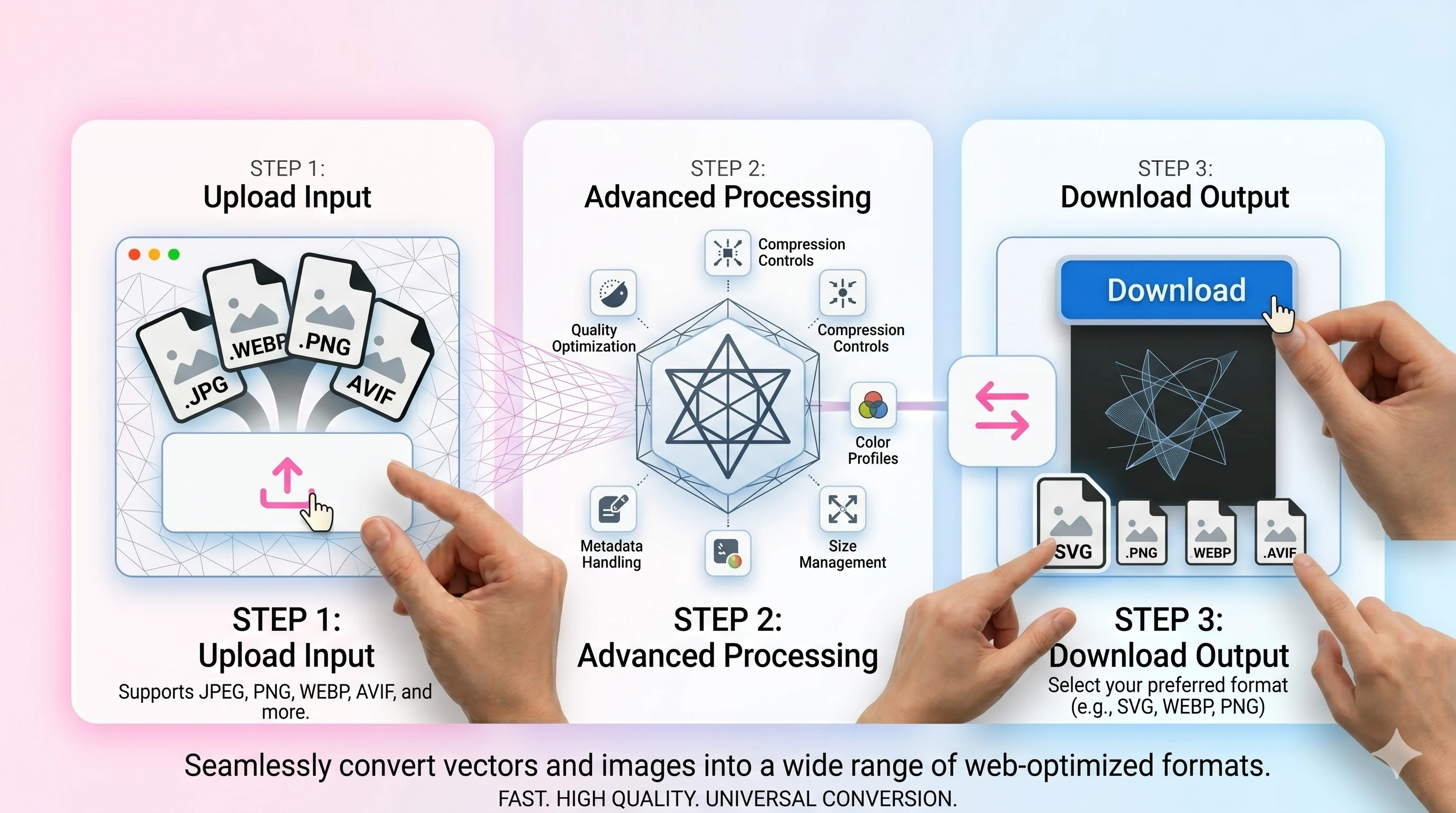
- 1Upload the AVIF file.
- 2Convert to PNG.
- 3Download the PNG result (alpha preserved if present).
FAQ
Will the PNG be bigger than AVIF?
Often yes—PNG is lossless. Convert mainly for editing or compatibility.
Does PNG keep transparency from AVIF?
Yes. If your AVIF contains alpha, the PNG output preserves it.
Should I use JPEG instead of PNG?
Use JPEG for smaller, opaque outputs and broad compatibility. Use PNG when you need lossless edits or transparency.
Do you add watermarks or require signup?
No—exports are clean, and basic conversions don’t require an account.