JPEG to AVIF converter
AVIF is the format you want if you care about bytes. At the same perceptual quality as WEBP it's typically 20-30% smaller, and against JPEG it can hit half the size. Browser support is good now (Chrome, Firefox, Safari since 16.4), but you'll still want a JPEG fallback for older clients. This tool transcodes your JPEG to AVIF with a quality control; use it for hero images, gallery thumbnails, or anywhere bandwidth matters more than absolute compatibility. Keep in mind AVIF encoding is slower than JPEG, which is why most CDNs don't re-encode on the fly — precompute and upload both.
Upload a JPEG → get AVIF.
Original
Converted
This tool processes on your device; your file is not uploaded for processing.
About
AVIF is currently the most efficient still-image format in widespread browser use, derived from the AV1 video codec and capable of compressing photographs to roughly half the size of an equivalent JPEG at indistinguishable quality. The savings are large enough that the conversion is worth doing on its own merits; on a media-heavy page the difference between shipping JPEGs and shipping AVIFs is often whether a user on a slow mobile connection sees the article load in a comfortable second or in three frustrating seconds. This converter handles the per-file step of that swap, with a quality control that lets you decide where on the size-versus-fidelity curve a given asset lives.
The conversion makes most sense for the assets that genuinely move the needle. Hero photos at the top of a page, full-bleed banners, gallery thumbnails on a portfolio or e-commerce site, blog inline images, and recipe photo grids are the obvious candidates because they dominate the byte budget. Tiny UI sprites and decorative elements under 5KB barely benefit because the AVIF format overhead becomes meaningful at that size. Concentrating effort on the genuinely large files is the more honest path to a faster site than running every single asset through a converter, especially when AVIF encoding is computationally expensive and slow compared to JPEG or WEBP.
Quality is the central control and behaves a little differently in AVIF than in JPEG. AVIF tolerates aggressive quality settings on photographs because of how its compression handles smooth gradients — quality 60 in AVIF is often visually closer to JPEG quality 85 than the numbers suggest. The default in this tool sits in the visually-indistinguishable range without bloating the file. For graphics with embedded text or sharp edges (rare for JPEG sources, but they exist), nudging the quality up a notch is worthwhile because AVIF, like every lossy format, smooths edges first. The slider exists so you can match the setting to what the image actually contains.
Encoding speed is the cost AVIF charges for its size advantage. AVIF compression is computationally significantly heavier than JPEG or even WEBP, and that's why most CDNs don't transcode on the fly — the latency would be prohibitive. The model that makes sense in practice is to do the AVIF encode once at build time or upload time, store the result in object storage, and serve it from there forever. A few extra seconds of encoding for a permanent, repeatedly-served file is an obviously good trade. The tool here handles a single file at a time, which is the right granularity for hero assets and one-off content rather than full-catalogue migrations.
Browser support is now good enough to consider AVIF as a primary served format. Chrome and Firefox have shipped support for years; Safari added it in 16.4 in 2023, which means iPhones running iOS 16.4 or later (the majority of active iPhones now) all decode AVIF natively. Edge inherits Chromium's support. The remaining holdouts are mostly older devices that haven't received a software update in a long time, certain in-app webviews on minor platforms, and email clients that have nothing to do with AVIF support timelines. For most public-facing sites, an AVIF-first approach with a JPEG or WEBP fallback via the picture element covers everyone.
Re-encoding from JPEG to AVIF is genuinely a re-encode, not a remux — the JPEG is decoded back to pixels and then compressed again with AVIF's algorithm. That means each conversion adds a generation of additional loss on top of whatever the JPEG already had. The recommendation is to convert from the original JPEG once, ship the AVIF as the served file, and keep the original JPEG safe in cold storage so any future re-export at different settings goes back to the cleaner source. Repeatedly converting a JPEG → AVIF → JPEG → AVIF chain is a worse idea than it sounds.
Two technical details worth knowing. EXIF metadata is normally dropped during the conversion, which is usually what you want for files served on the public web — fewer kilobytes of camera details and embedded thumbnails travelling around with every page load. If a particular asset needs to keep EXIF for accessibility, copyright, or auditing reasons, store the original JPEG with metadata intact and use the AVIF only for delivery. Colour profiles are preserved as sRGB, matching what every modern browser assumes, and wide-gamut sources are tone-mapped down cleanly without surprising hue shifts. AVIF can in principle carry HDR and wide-gamut data, but for sources that started life as standard sRGB JPEGs none of that comes into play.
There's a specific edge case with line art and very fine detail that's worth knowing about because it can catch you out at low quality settings. AVIF, like every modern lossy codec, prioritises compressing smooth areas efficiently and treats high-frequency content (sharp edges, single-pixel lines, very fine textures) as something to spend bits on. At quality 50 or below, screenshots and graphics with thin strokes can develop a particular kind of softening that's specific to AVIF's tile-based decoder — not the blocky artefacts JPEG produces, but a soft halo around hard edges. The fix is staying at quality 70+ for any source containing thin lines or text, and reserving aggressive compression for purely photographic content where the human eye doesn't track edge sharpness as closely.
Build pipeline integration is worth thinking about whenever this conversion comes up at scale. The two libraries that matter most for AVIF in modern Node-based build chains are sharp (which uses libvips internally) and the standalone libavif command-line tool. Sharp gives you AVIF encoding from JavaScript with sensible defaults; libavif gives you finer control over speed/quality trade-offs and is the right pick when you want to tune the encoder presets. The web tool here is the manual counterpart to those — same end result, no setup. For a one-off marketing campaign asset or a quick test of how AVIF affects a particular image, the manual route saves the overhead of writing a script. For a recurring build process, the libraries are obviously the right answer.
Real-world before-and-after metrics are useful for justifying the conversion to whoever owns the page-speed budget. A typical e-commerce product page with eight JPEG product photos averaging 250KB each carries roughly 2MB of image weight; the same page with AVIF versions at quality 60 lands around 800KB to 1MB. On a 4G connection that's a 600 to 800 millisecond reduction in time-to-interactive, which is large enough to show up in conversion-rate A/B tests rather than just in synthetic benchmarks. The cost is the encoding time at build (or in this tool, when you click convert); the benefit accrues every time a visitor opens the page. For high-traffic pages the math is heavily in AVIF's favour. For an internal tool nobody outside the company sees, the math is much weaker and JPEG might still be the right call.
Practically the converter takes a single drop. JPEG goes in, AVIF comes back, with a quality slider for fine control. Files are processed in temporary storage, links expire quickly, no signup or watermark, no daily quota counting down. Multiple JPEGs can run through one after another, which is the right mode for prepping a folder of blog assets for a static-site rebuild or doing a one-time migration of a small portfolio. AVIF encoding is intentionally a little slower than the WEBP path because it's doing more compression work; expect normal phone-camera JPEGs to convert in a couple of seconds, and very large originals to take proportionally longer. The wait is the price of the size savings — and on the served side, those savings keep paying for themselves on every visit.
Use cases
- Reduce image payload for faster LCP and better Core Web Vitals.
- Convert galleries and hero images to AVIF for modern delivery.
- Ship smaller ecommerce photos without obvious artifacts.
- Prepare assets for CDNs and responsive image pipelines.
How it works
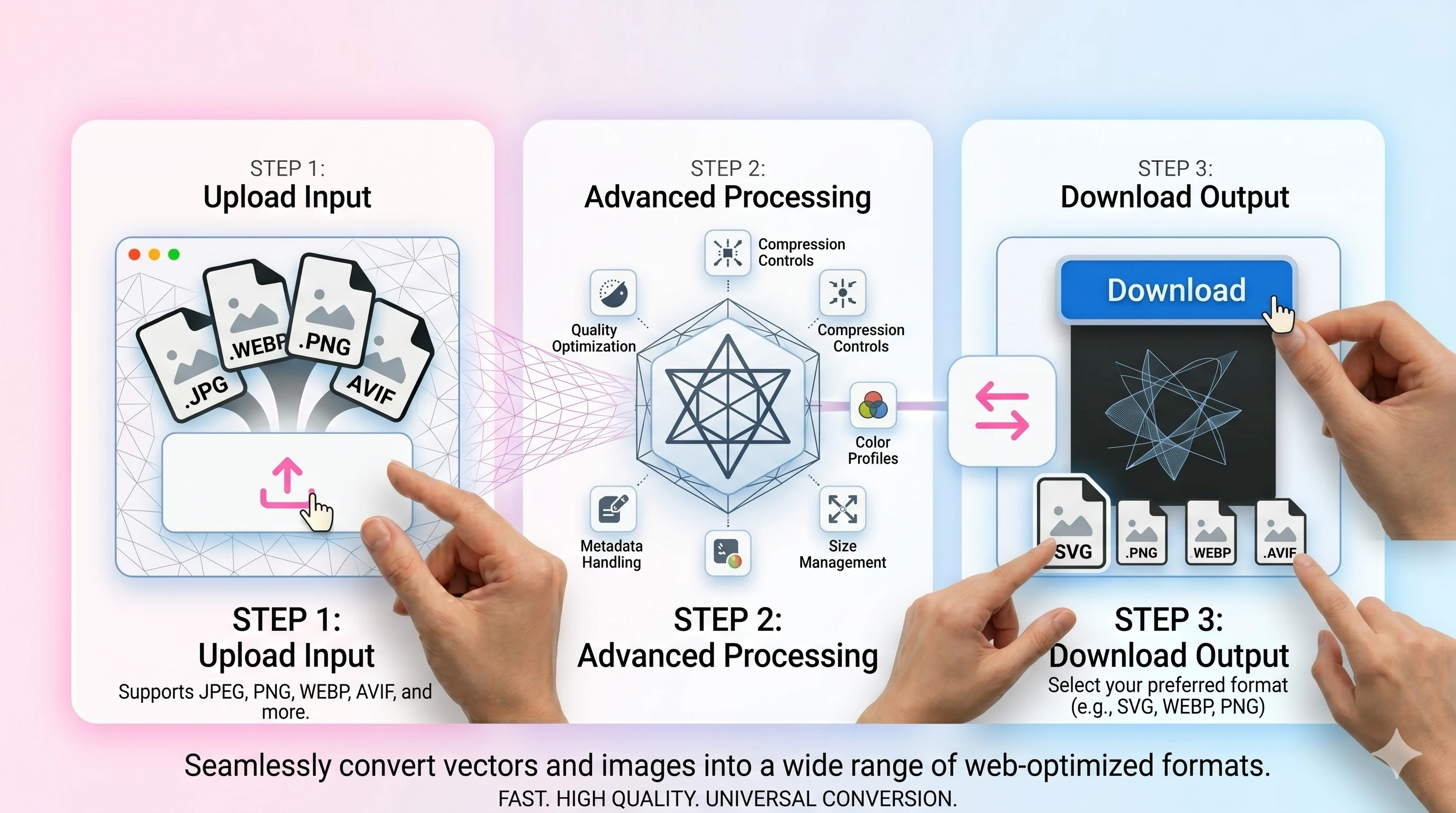
- 1Upload your JPG/JPEG image.
- 2Set AVIF quality and convert.
- 3Download the AVIF output.
FAQ
Is AVIF supported in browsers?
Support is strong in modern browsers. Keep a JPEG/WEBP fallback if you need maximum compatibility.
Will AVIF always be smaller?
Often yes, but results depend on the image and quality settings.
What quality should I use?
Start around 40–60 for photos and adjust by preview. Increase quality for sharp graphics.
Does AVIF support transparency?
Yes, but JPEG sources are opaque. Use PNG-to-AVIF if you need alpha.